Timing
Most of the time the node is in sleep mode, conserving energy.
Timing is the last configuration step, as it determines how often the node:
- Wakes up and carries out selected measurements.
- Transmits the measurement data to the Console.
There are two timing modes:
- Periodic mode, where the node wakes up at regular time intervals.
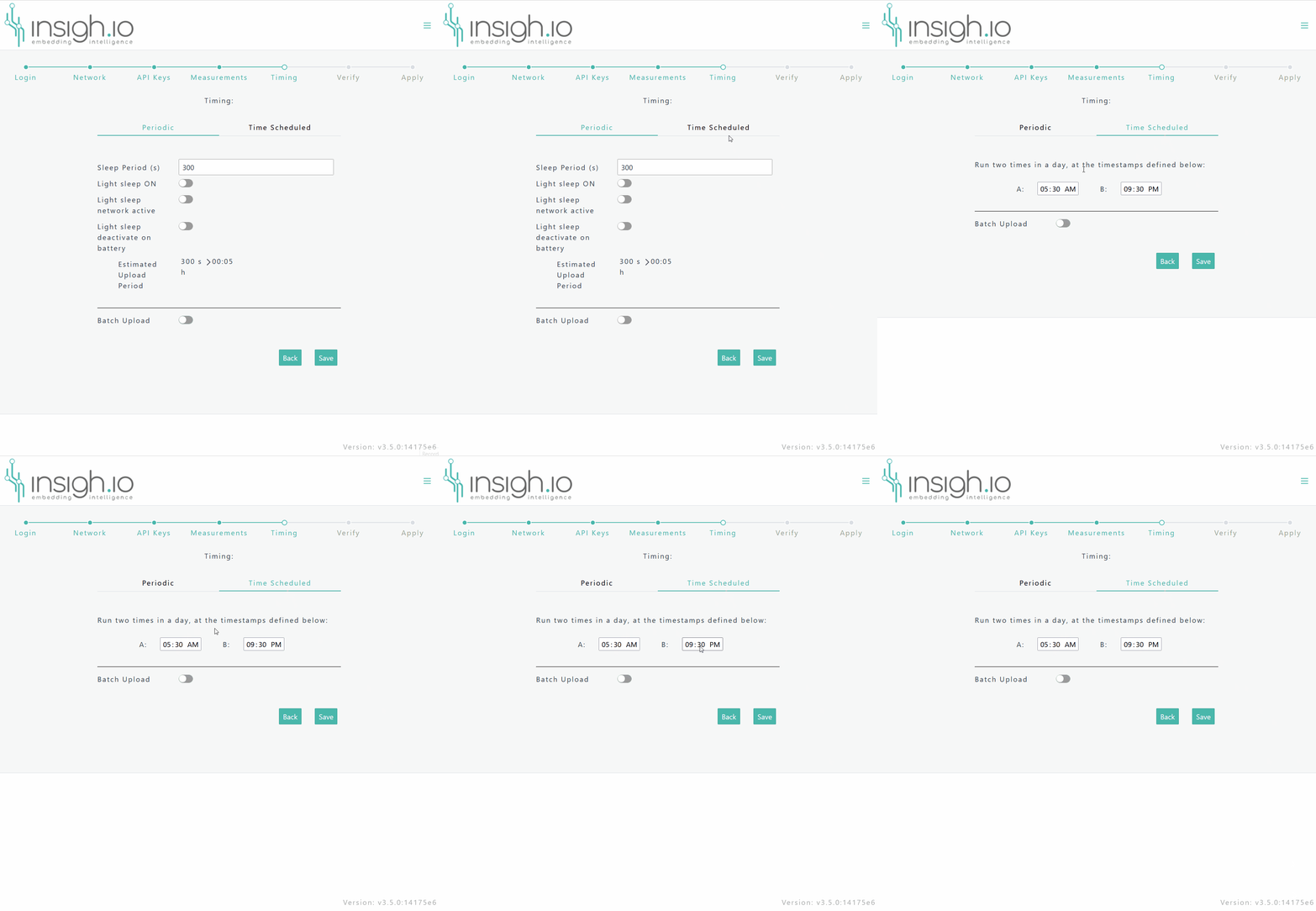
- Time Scheduled mode, where the node wakes up at 2 configurable specific times on a daily basis.
Periodic Mode
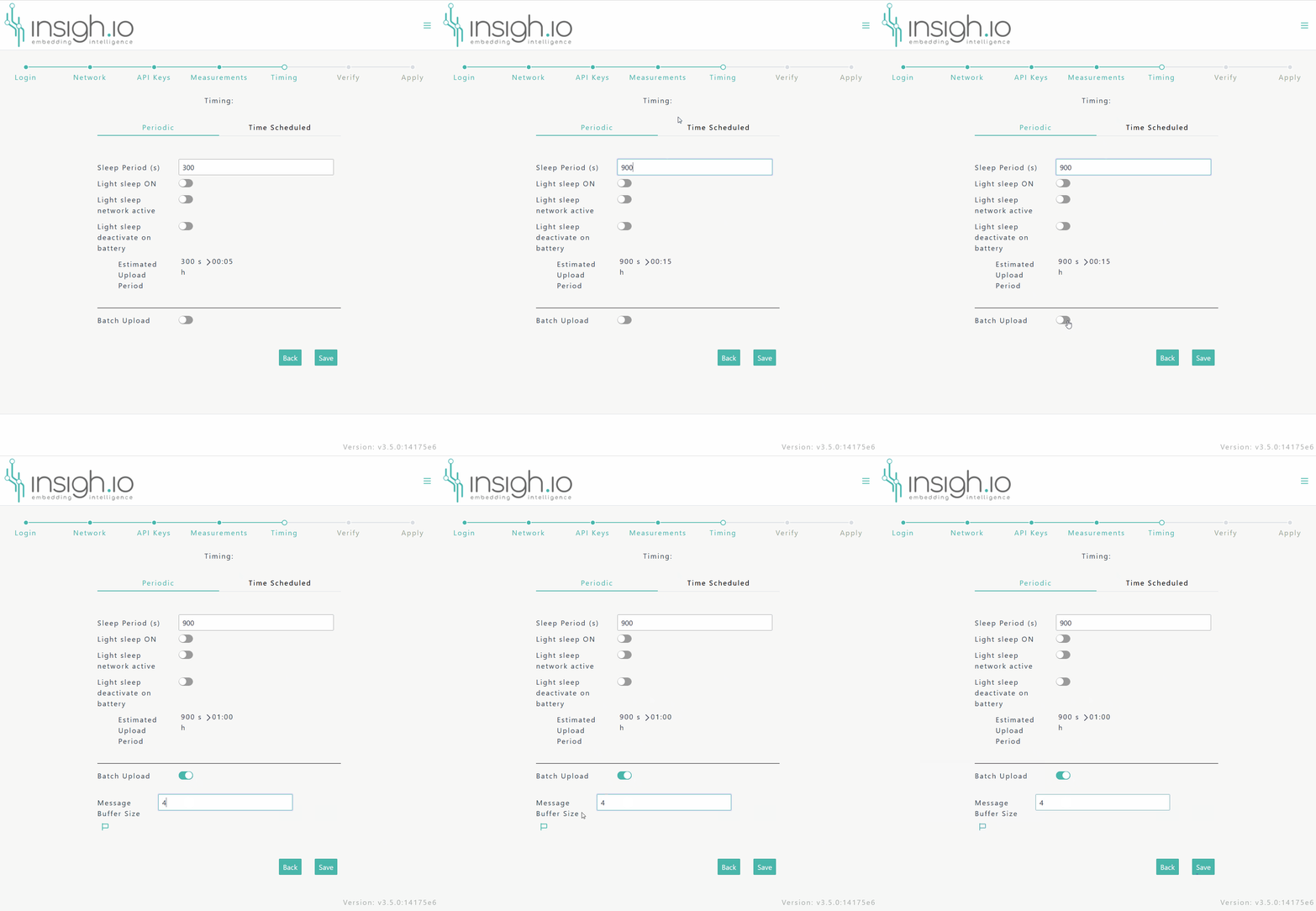
In Periodic mode the user can configure measurement and transmission timings as follows:
Measurement Timing
Sleep Period: Every Sleep Period the node wakes up and a new measurement record is generated.Light Sleep On: The node goes into light sleep mode instead of deep sleep mode, while sleeping.Light Sleep Network Active: The network connection remains active during light sleep.Light Sleep dectivate on battery: Light sleep mode is automatically disabled if the node operates on battery to avoid misconfigurations.
The light sleep mode should be carefully used when there is no mains supply, as it might drain the battery really quickly. It should be used on special cases only, when enough energy is available (e.g. when supported by a large external solar-powered backup)
Newer firmware versions (v3.0.0 and beyond) support time alignment at minute level after retrieving the clock from first network connection. So for example, if the user configures the sleep period at 5 minutes (300s), then the board will wake up and take a new measurement at exactly HH:00, HH:05m, HH:10, ticks and so on.
Upload Timing
Batch Upload: If this option is disabled, every time a measurement record is generated (i.e. every Sleep Period) an upload also occurs. If this option is enabled, measurements are stored and uploaded in batch mode, i.e. after a certain number of records has been collected.Message Buffer Size: Determines the number of messages required for batch upload.
Estimated upload period gives the expected upload timing for the selected sleep period and message buffer size.
The following short video shows how to configure a measurent period of 15 minutes and and an hourly batch upload period.
Time-scheduled Mode
- The user can select two specific times per day (
AandB) for the node to wake up. - Whether
Batch Uploadis enabled or not, the measurements are sent immediately or after a certain number of records has been reached, as in the Periodic Mode.
The following short video shows the timing scheduled interface.