Keys
Introduction
Communication between the node and Console is facilitated through a set of keys and channels:
- Each node is associated with a unique
IDand a uniqueKEY. These are 128-bit universally unique identifiers (UUIDs) generated during device creation in Console. - Measurements are transmitted over a
Data Channelwhile Configuration or any other Control information is transmitted over aControl Channel. Both are unique on a project basis and are also generated following the UUID principle.
Guide
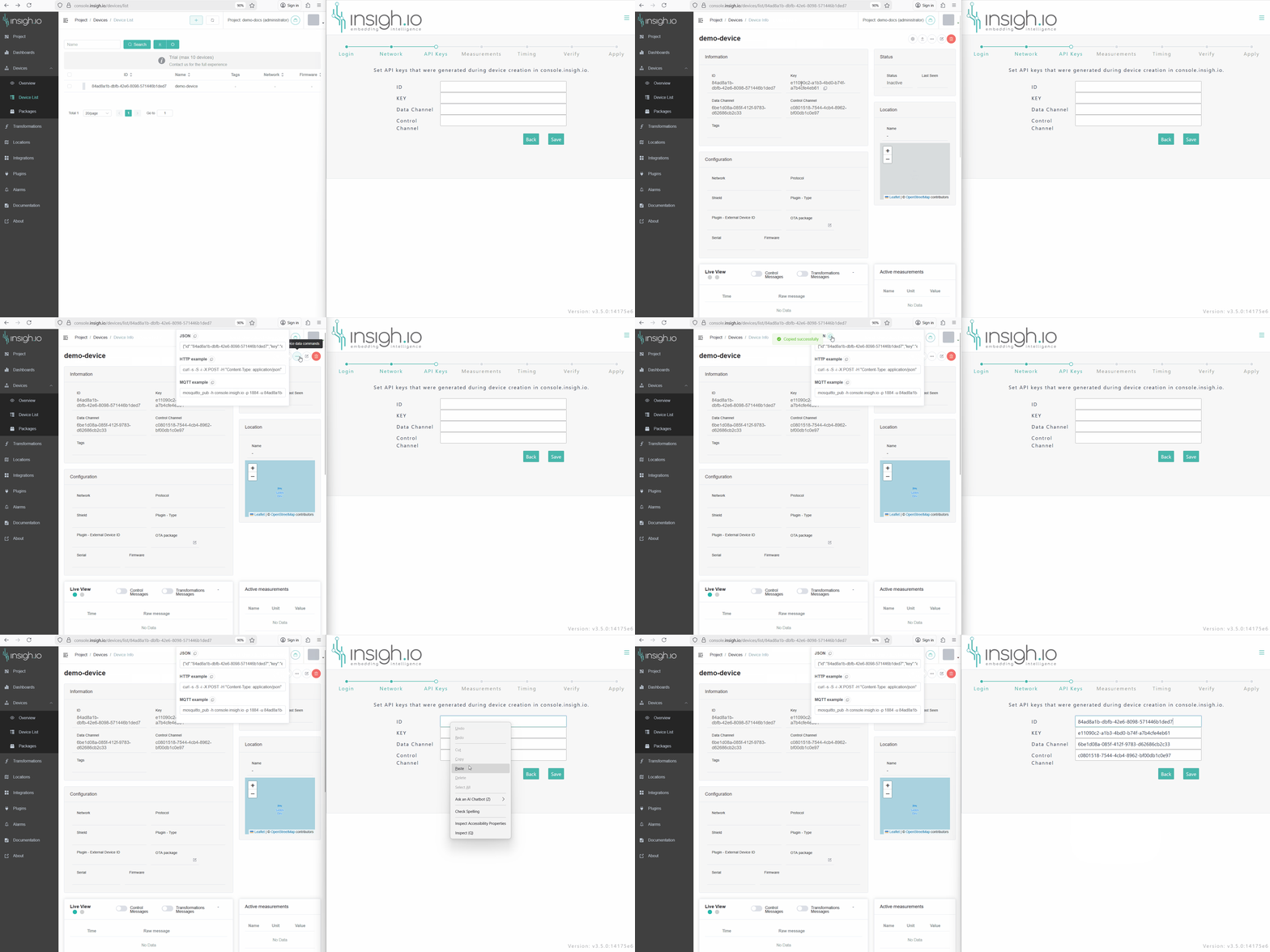
- Enter Console and go to the
DeviceInfoPage of the target node. - Go to “Quick Device Data Commands” menu on the top-right of the page (icon
...) - Copy JSON information by clicking the corresponding icon. This action copies all keys and channels in the cliboard.
- Go back to the Configurator and place the cursor in the first field (
ID). Paste will automatically populate all four fields with the proper key/channel information.
The following short video presents the described procedure. On the left-hand side the Device page from Console has been loaded, while in the right-hand side the the Local Configurator web page (Keys step) is shown.
Notice that two connections are needed for this step: 1) Internet connection for accesing Console, and 2) WiFi connection to the node local network for accesing the configurator. In case a user device (e.g. laptop) with a single WiFi interface is used the user has to either pre-load the Console page before connecting to the local WiFi network of the node or add a second network adapter for handling multiple networks.